Your first project
A patch is a program you can see and hear. The one beside these steps, First Light, is built from three modules: one makes the sound, one draws the controls and one draws the picture. Walk through it here, then make your own in Minima.
- Frames drawn
- 0
- Frames late
- 0
- Audio underruns
- 0
- Position (ms)
- 0
- Audio contexts
- 0
- Audio renderers
- 0
- GPU devices
- 0
- Watch it play. The patch plays when most of it is in view and pauses when it leaves. Only one patch on a page plays at a time. Press Pause to hold it and Play to carry on. If your system asks for reduced motion, it waits for your press.
- Turn on sound. Press Turn on sound. Two voices play a four-bar tune: a low pluck, and a high bell whose echo answers it. Press Mute to silence it. Every patch on a page starts muted. Your first press on any patch turns sound on for all of them, and after that each patch’s Mute silences that patch alone.
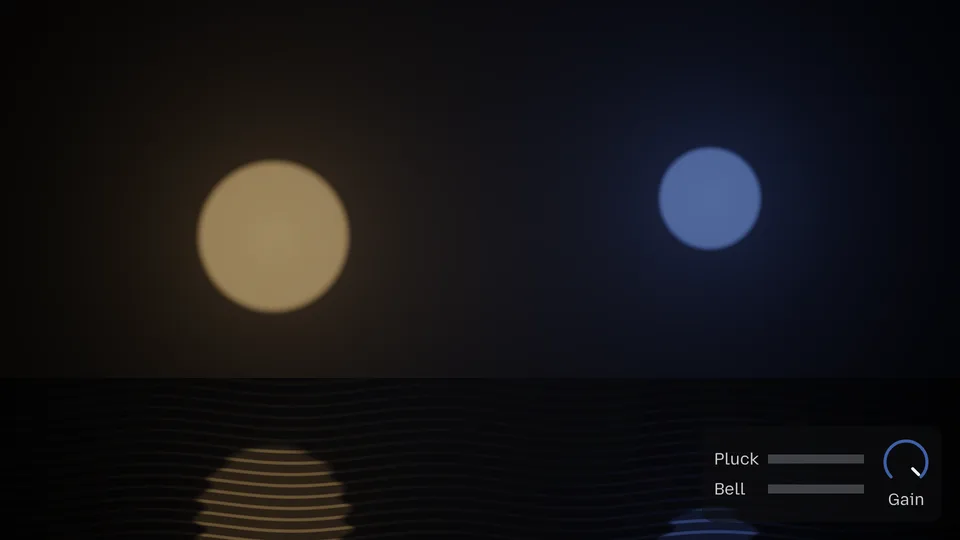
- Turn the Gain dial. The two meters, Pluck and Bell, show how loud each voice is, and Gain sets the level of both together.
- Watch the picture follow the sound. The gold disc grows with the pluck’s meter and the blue disc with the bell’s, so the picture moves with what you hear. Their light shimmers on the water even before the sound starts.
- See how it is wired. The patch places three modules. Sound makes the two voices, Controls draws the meters and the dial, and Picture draws the discs. The dial’s value flows from Controls into Sound, and each voice’s meter flows out of Sound into Controls and Picture.
- Make your own. Open Minima at app.minima.dev and start a patch. It plays while you build it, and you can open its code or its rows of modules at any time. To make your patch play to your own music, choose Import… from the patch’s menu and pick a song from your device: a picture that follows the beat follows the song’s, and Halve tempo, Double tempo or Set downbeat here fixes them in one press. Under the waveform, the song’s sections carry suggested labels (A, B, A′): rename the chorus, drag a boundary to the right bar, and a choice that follows Sections changes the picture where each section starts. Bring the song as stems with Add stems… in the same view, and the picture can pulse with Drums: Rhythm while it colours with Vocals: Tone. Import… also takes a photo or a video (PNG, JPEG, WebP, GIF, AVIF or SVG; MP4 or WebM): it shows in the patch’s own image or video if it has one, or behind its picture with an Image Mix or Video Mix dial to set how much of it shows. Show Media lists what you brought in.
- Share what you made. Press Share, make the patch public, and share its link: anyone can open it, and it previews with your patch. Anyone who opens it can press Open in Minima, or Open in app on a phone, to make their own copy; where the Minima app is installed on their phone, it opens there.